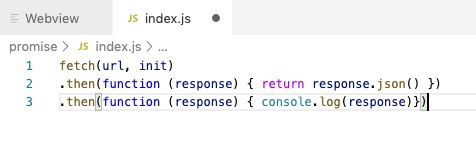
1、fetch的基本语法
fetch(url,init).then(function(response) { } )
2、fetch的参数说明
① fetch接收两个参数,第一个为地址且必填,第二个为配置对象可选。
② 如果是简单的无参数get请求,那么可以不要第二个参数(默认为get请求),当然也可以加上来对此fetch进行一些说明
③ 第二个参数包含请求类型,发送数据,headers,模式等
④ fetch方法返回的也是一个promise对象,我们只能使用then来获取返回数据,
⑤ 我们需要两次then才能对后台返回得到数据进行处理,在第一个then里面return result.text(), 或者 return result.json(), 然后第二个参数里面才能真正的获取到返回的具体值,并且对其进行逻辑处理
如果要判断请求是否失败,那么请在第一次的then里面判断,那里面为请求数据对象。
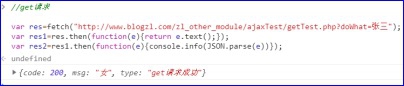
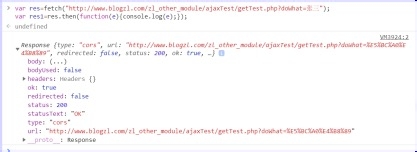
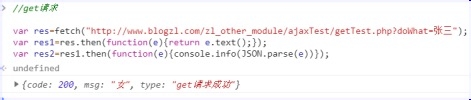
1、使用fetch访问php接口
//get请求
var res=fetch("http://www.blogzl.com/zl_other_module/ajaxTest/getTest.php?doWhat=张三");
var res1=res.then(function(e){return e.text();});
var res2=res1.then(function(e){console.info(e)});
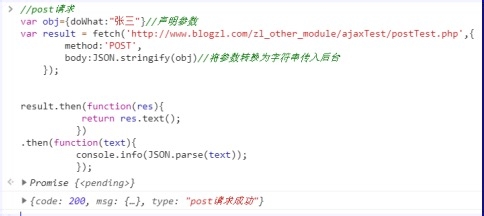
2、使用fetch访问php接口--- post
//post请求
var obj={doWhat:"张三"}//声明参数
var result = fetch('http://www.blogzl.com/zl_other_module/ajaxTest/postTest.php',{
method:'POST',
body:JSON.stringify(obj)//将参数转换为字符串传入后台
});
result.then(function(res){
return res.text();
})
.then(function(text){
console.info(JSON.parse(text));
});
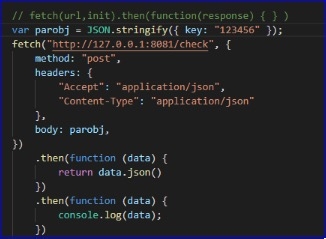
3、使用fetch 访问nodejs接口--- post
需要加上代码:"Content-Type": "application/json"
// fetch(url,init).then(function(response) { } )
var parobj = JSON.stringify({ key: "123456" });
fetch("http://127.0.0.1:8081/check", {
method: "post",
headers: {
"Accept": "application/json",
"Content-Type": "application/json"
},
body: parobj,
})
.then(function (data) {
return data.json()
})
.then(function (data) {
console.log(data);
})
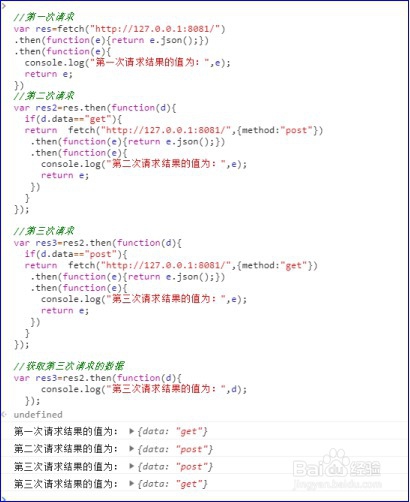
4、使用fetch连续发起多次请求
如果要使用fetch发起多次请求,那么从第二次开始我们就要把每次的then方法执行后的promise 对象返回。
//第一次请求
var res=fetch("http://127.0.0.1:8081/")
.then(function(e){return e.json();})
.then(function(e){
console.log("第一次请求结果的值为:",e);
return e;
})
//第二次请求
var res2=res.then(function(d){
if(d.data=="get"){
return fetch("http://127.0.0.1:8081/",{method:"post"})
.then(function(e){return e.json();})
.then(function(e){
console.log("第二次请求结果的值为:",e);
return e;
})
}
});
//第三次请求
var res3=res2.then(function(d){
if(d.data=="post"){
return fetch("http://127.0.0.1:8081/",{method:"get"})
.then(function(e){return e.json();})
.then(function(e){
console.log("第三次请求结果的值为:",e);
return e;
})
}
});
//获取第三次请求的数据
var res3=res2.then(function(d){
console.log("第三次请求结果的值为:",d);
});