1、安装apt-mirror工具
sudo apt-get install -y apt-mirror
2、配置apt-mirror工具
sudo gedit /etc/apt/mirror.list
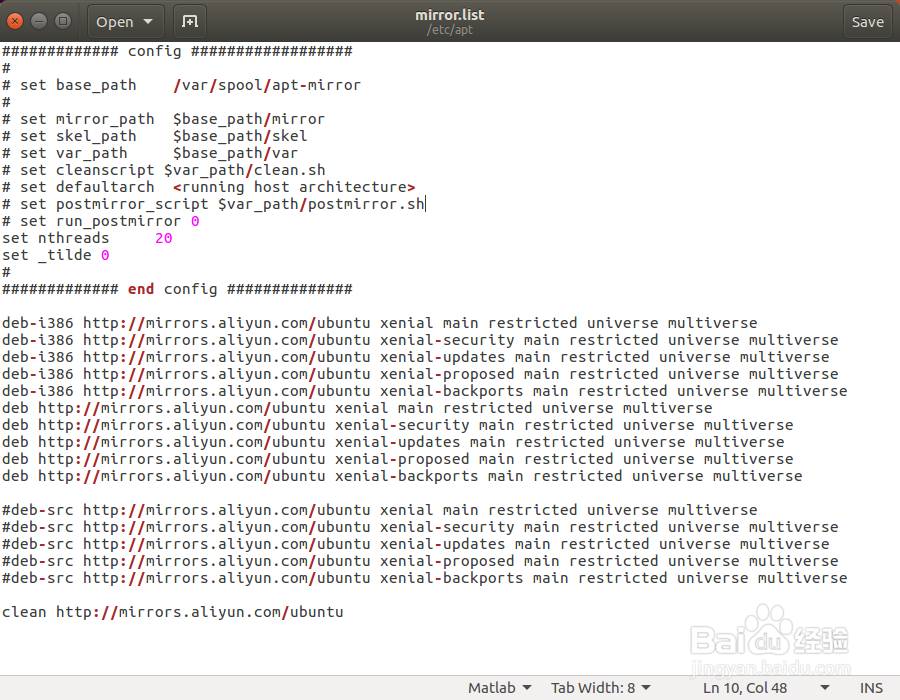
修改更新源地址为阿里云镜像地址,下载速度更快。
如果只下载64位的更新,在执行apt-get update时会报错,因此把32位的一起加进来,这样就不会报错了。
下面注释掉的5行是源码,一般不需要,如果有需要,去掉注释就可以一起下载了。
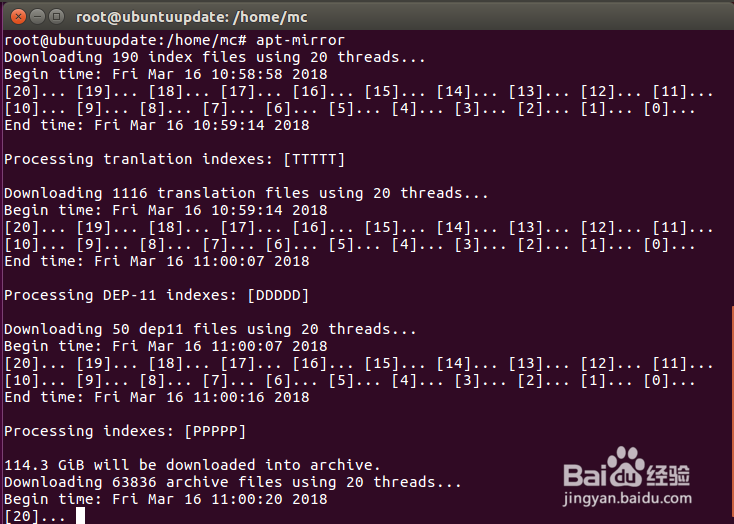
3、开始制作,64位的更新大约有114G,32位的大约有58G。
sudo apt-mirror
4、添加定时任务每日自动更新镜像
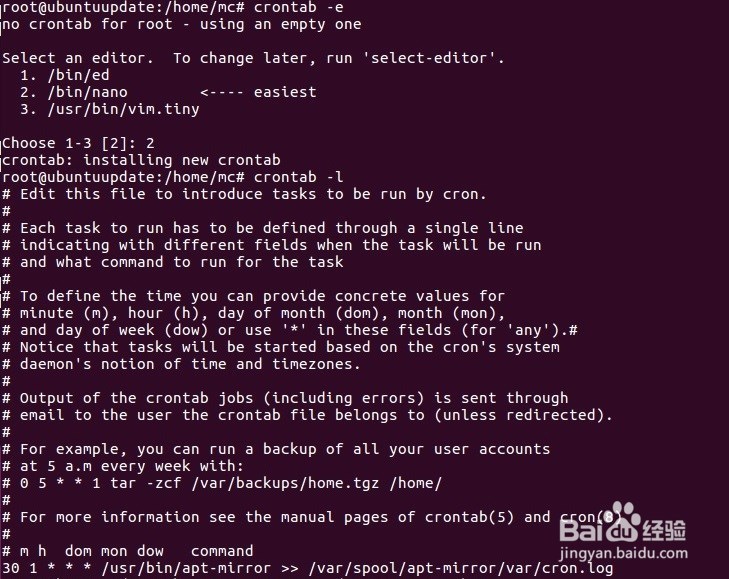
sudo crontab -e
Choose 1-3 [2]:2
在文件最下面加入如下配置:每天1:30自动更新,并且把更新日志记录在cron.log
30 1 * * * /usr/bin/apt-mirror >> /var/spool/apt-mirror/var/cron.log
5、作为本机源
下载到本机的更新内容在 /var/spool/apt-mirror/mirror/mirrors.aliyun.com/ubuntu,执行如下命令修改sources.list
sudo gedit /etc/apt/sources.list
把原有内容替换为以下内容:
deb file:///var/spool/apt-mirror/mirror/mirrors.aliyun.com/ubuntu xenial main restricted universe multiverse
deb file:///var/spool/apt-mirror/mirror/mirrors.aliyun.com/ubuntu xenial-security main restricted universe multiverse
deb file:///var/spool/apt-mirror/mirror/mirrors.aliyun.com/ubuntu xenial-updates main restricted universe multiverse
deb file:///var/spool/apt-mirror/mirror/mirrors.aliyun.com/ubuntu xenial-proposed main restricted universe multiverse
deb file:///var/spool/apt-mirror/mirror/mirrors.aliyun.com/ubuntu xenial-backports main restricted universe multiverse
6、安装apache2(如果没有的话)
sudo apt-get install -y apache2
将镜像目录链接到apache2的根目录(/var/www/html/)下
sudo ln -s /var/spool/apt-mirror/mirror/mirrors.aliyun.com/ubuntu /var/www/html/ubuntu
7、修改局域网内其他ubuntu主机的sources.list文件
执行如下命令修改sources.list
sudo gedit /etc/apt/sources.list
把原有内容替换为以下内容,其中xxx.xxx.xxx.xxx为本地更新源服务器的IP地址
deb http://xxx.xxx.xxx.xxx/ubuntu xenial main restricted universe multiverse
deb http://xxx.xxx.xxx.xxx/ubuntu xenial-security main restricted universe multiverse
deb http://xxx.xxx.xxx.xxx/ubuntu xenial-updates main restricted universe multiverse
deb http://xxx.xxx.xxx.xxx/ubuntu xenial-proposed main restricted universe multiverse
deb http://xxx.xxx.xxx.xxx/ubuntu xenial-backports main restricted universe multiverse