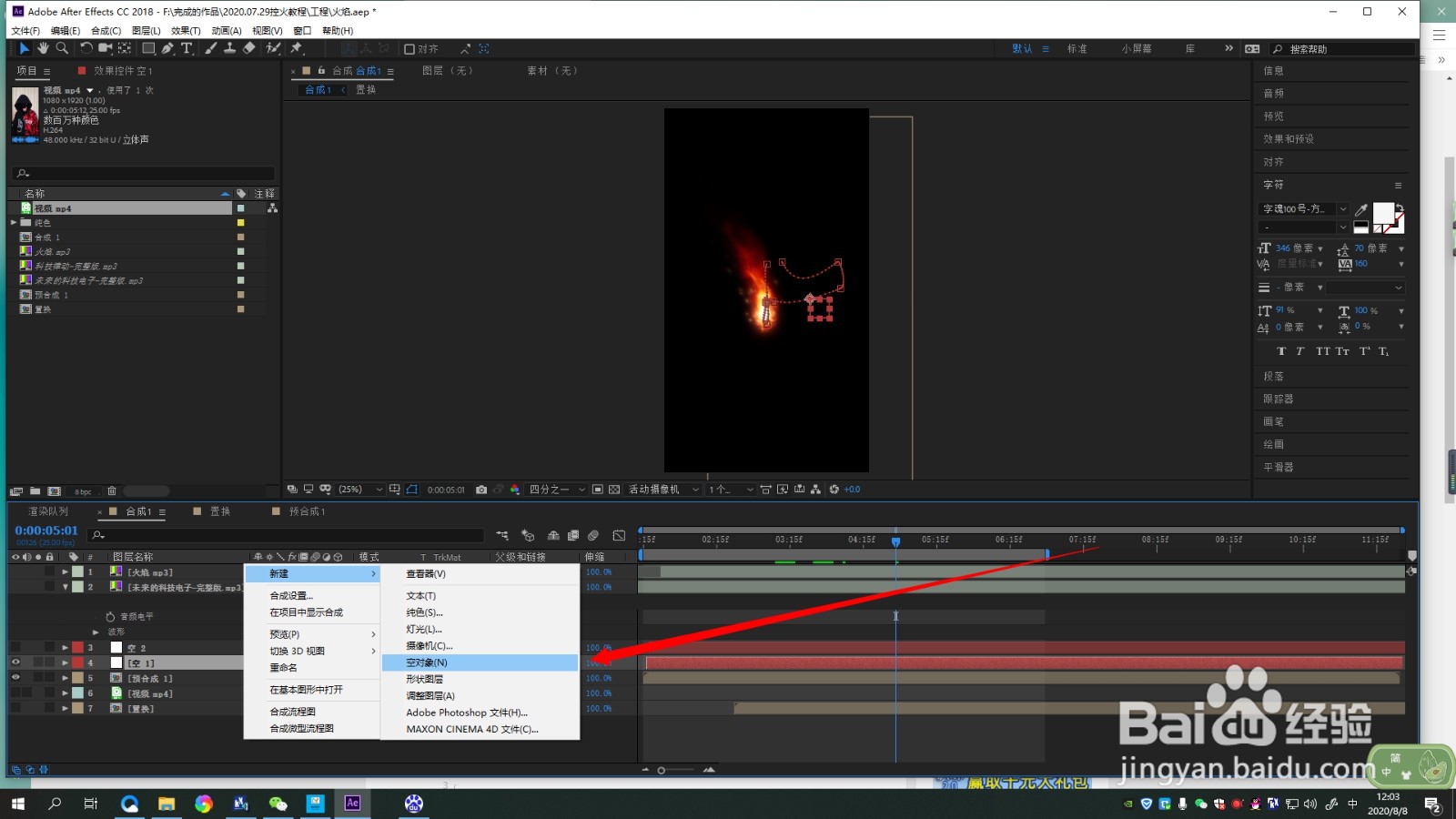
1、1.加载需要处理的素材后,新建空对象
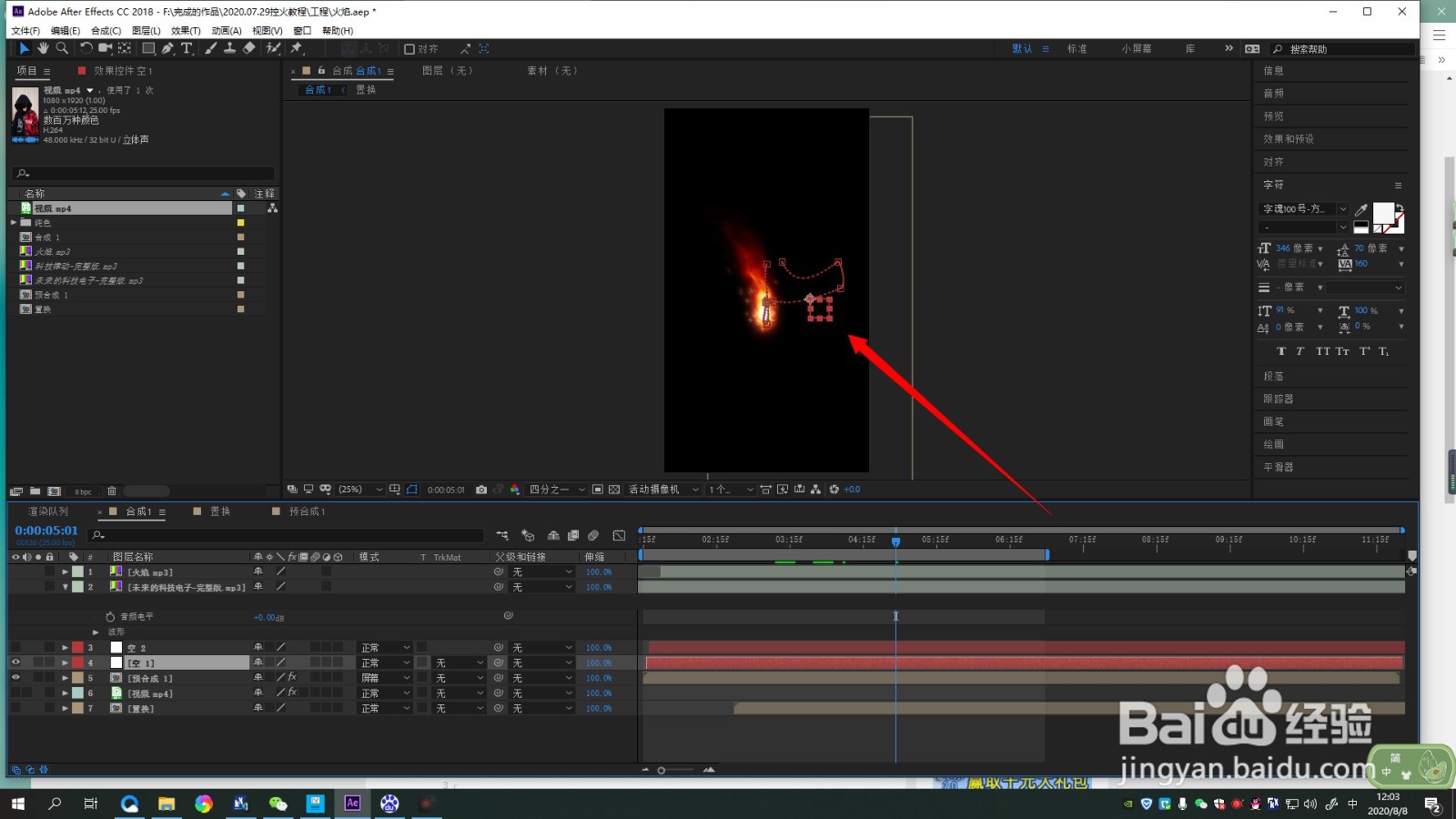
2、2.对空对象进行位置的设置,并关联到素材上
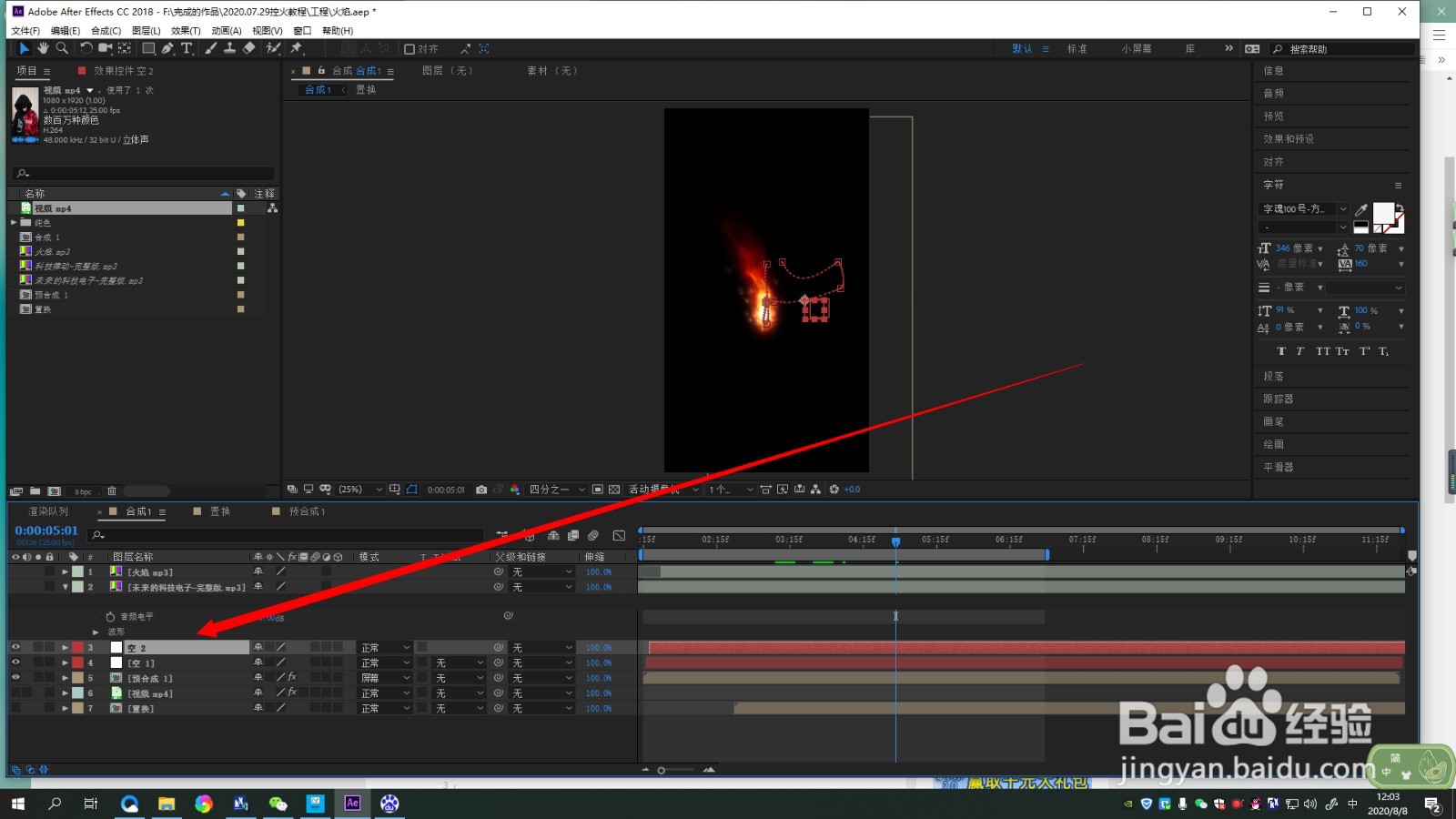
3、3.复制一层空对象,时间线向后移动几帧
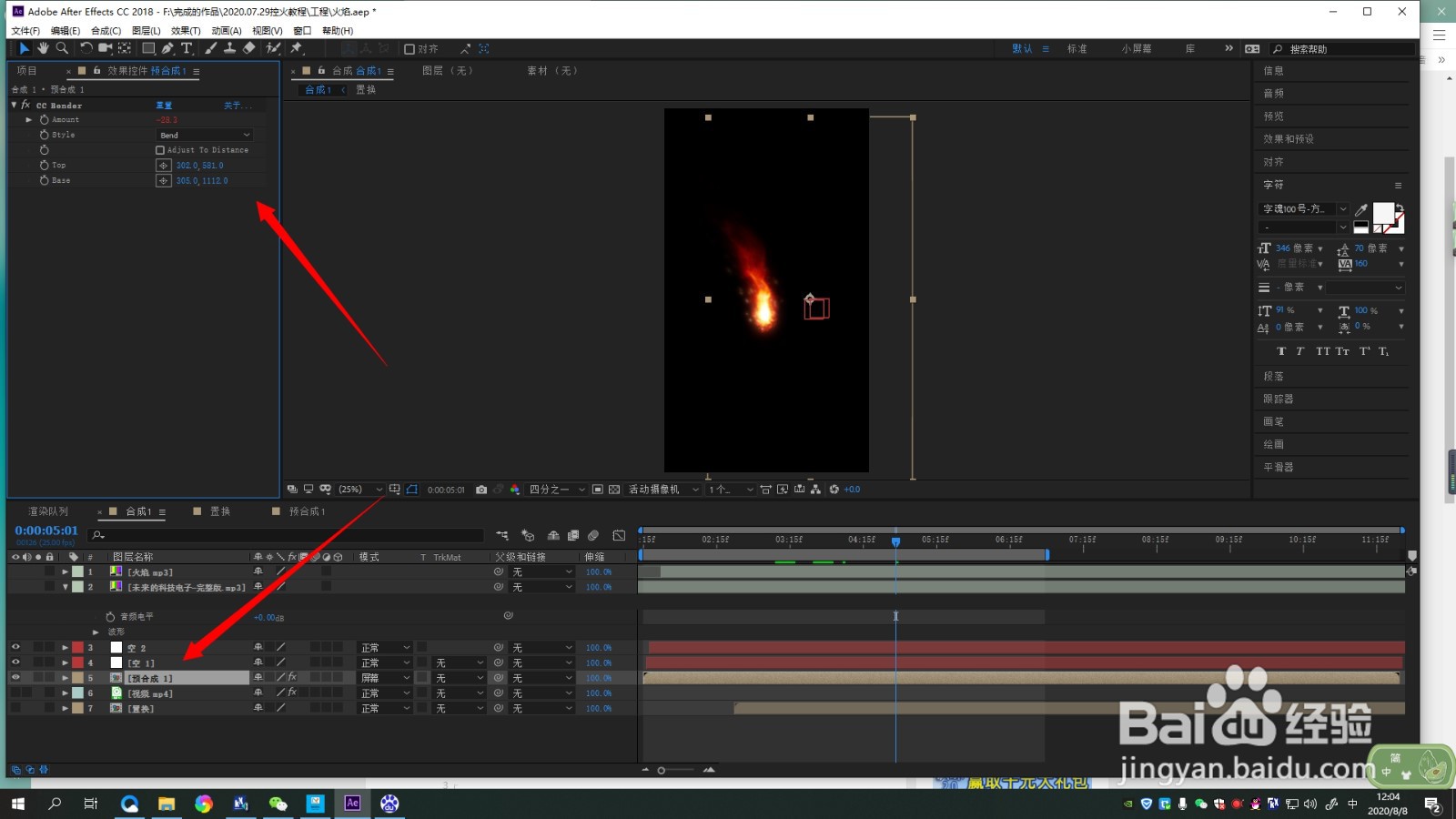
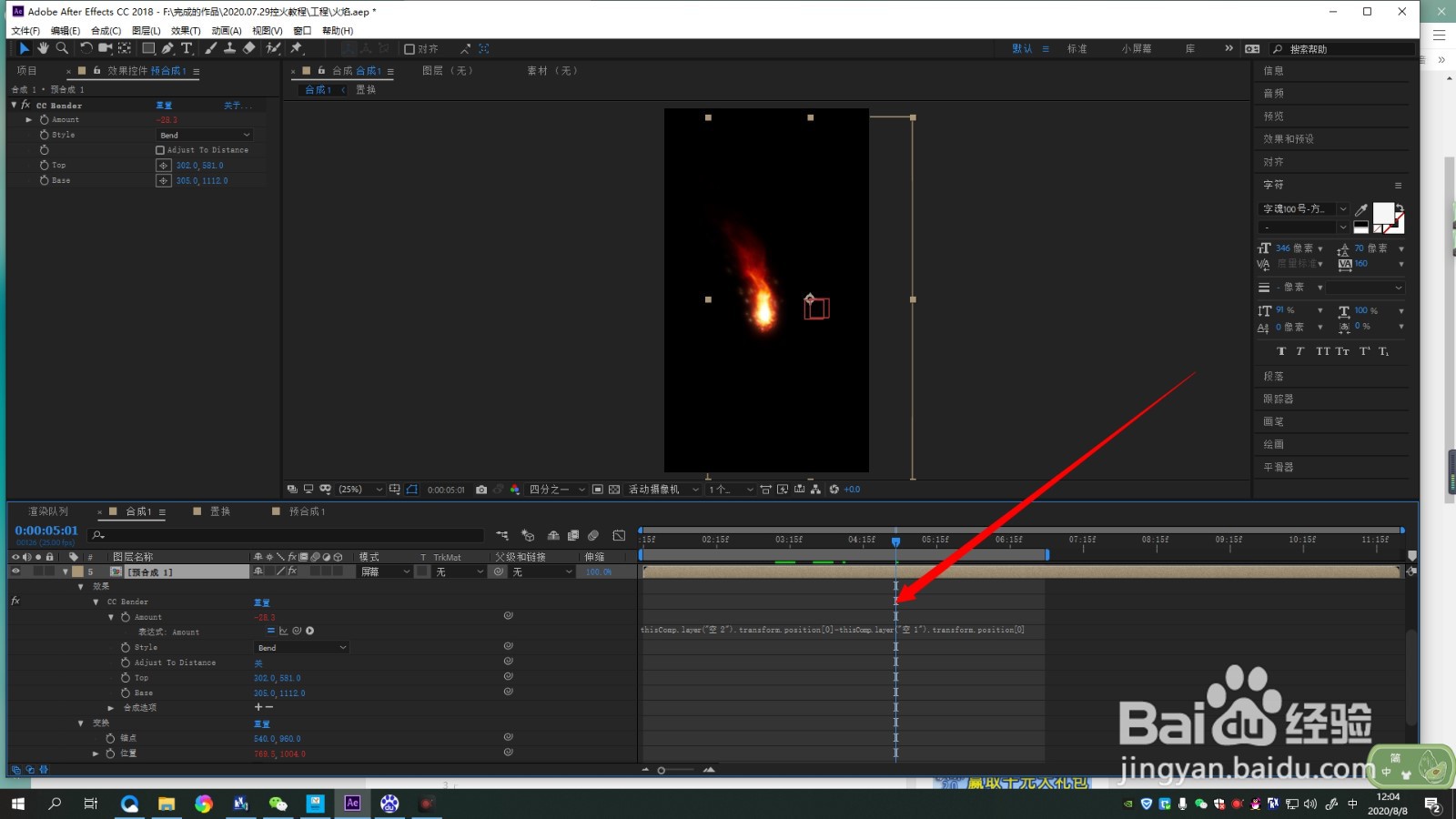
4、4.为素材加载“CC Bender”效果,并调整top和bast位置放在头尾
5、5.按ALt 为“Amount”添加表达式“thisComp.layer("空 2").transform.position[0]-thisComp.layer("空 1").transform.position[0]”
1、1.加载需要处理的素材后,新建空对象
2.对空对象进行位置的设置,并关联到素材上
3.复制一层空对象,时间线向后移动几帧
4.为素材加载“CC Bender”效果,并调整top和bast位置放在头尾
5.按ALt 为“Amount”添加表达式“thisComp.layer("空 2").transform.position[0]-thisComp.layer("空 1").transform.position[0]”