网站首页 美食营养 游戏数码 手工爱好 生活家居 健康养生 运动户外 职场理财 情感交际 母婴教育 生活知识 知识问答

Windows7如何关闭开关机的Windows Update配置?

时间:2026-02-16 20:34:42

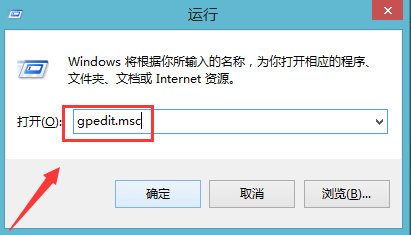
1、第一步:首先我们需要按住win键+R键进入运行窗口,然后输入gpedit.msc,我们可以再点击确认。
Windows7如何关闭开关机的Windows Update配置?

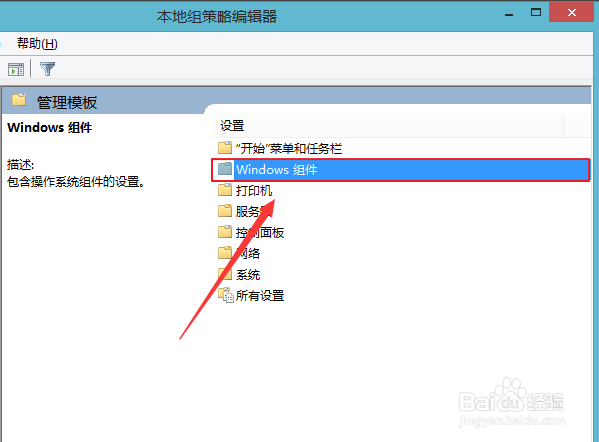
2、第二步:这时电脑打开了“本地组策略编辑器”窗口,然后我们单击管理模版,并且找到右面的Windows组件并双击

Windows7如何关闭开关机的Windows Update配置?

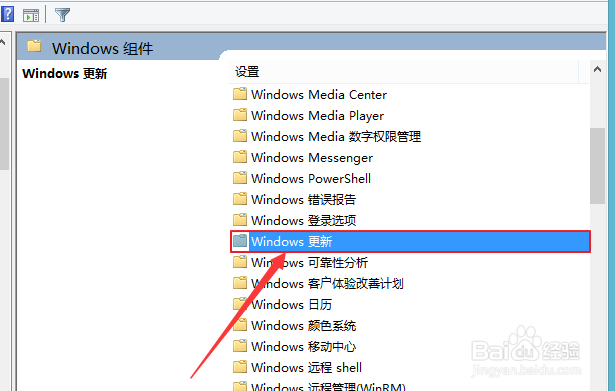
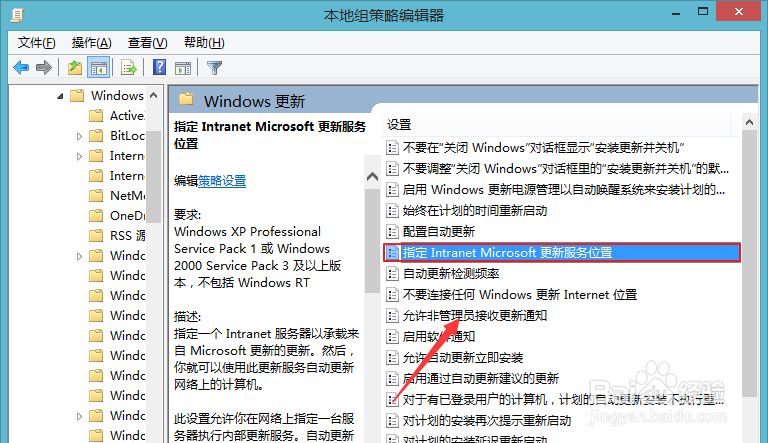
3、第三步:然后我们需要找到Windows Update( 或Windows更新 )并且双击,在Windows Update内需要找到指定Intranet Microsoft更新服务位置然后我们右键编辑。
Windows7如何关闭开关机的Windows Update配置?

Windows7如何关闭开关机的Windows Update配置?

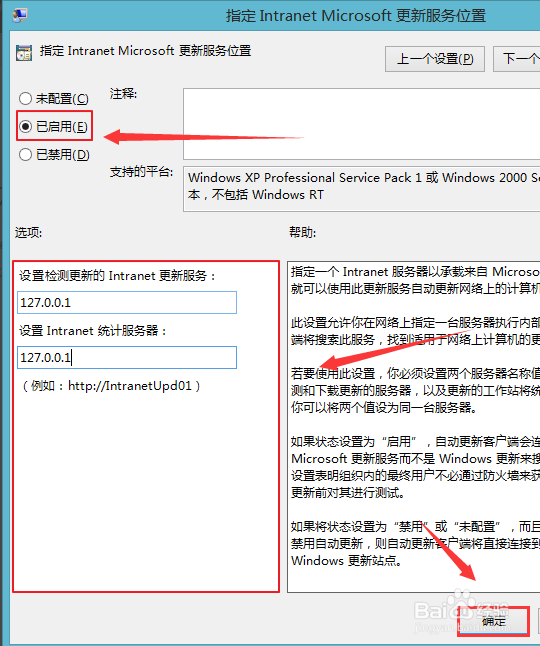
4、第四步:然后我们把未配置改为已启用,最后在下面的选项里的两个输入框里都输入 127.0.0.1 后确定就可以了。
Windows7如何关闭开关机的Windows Update配置?

1、1.首先我们需要按住win键+R键进入运行窗口。

2.需要找到Windows Update( 或Windows更新 )并且双击。

© 2026 五度知识库
信息来自网络 所有数据仅供参考
有疑问请联系站长 site.kefu@gmail.com