网站首页 美食营养 游戏数码 手工爱好 生活家居 健康养生 运动户外 职场理财 情感交际 母婴教育 生活知识 知识问答

matplotlib怎么显示中文

时间:2024-11-02 00:19:30

解决jupyter显示中文乱码问题。

工具/原料

Jupyter

拷贝系统中自带的字体文件

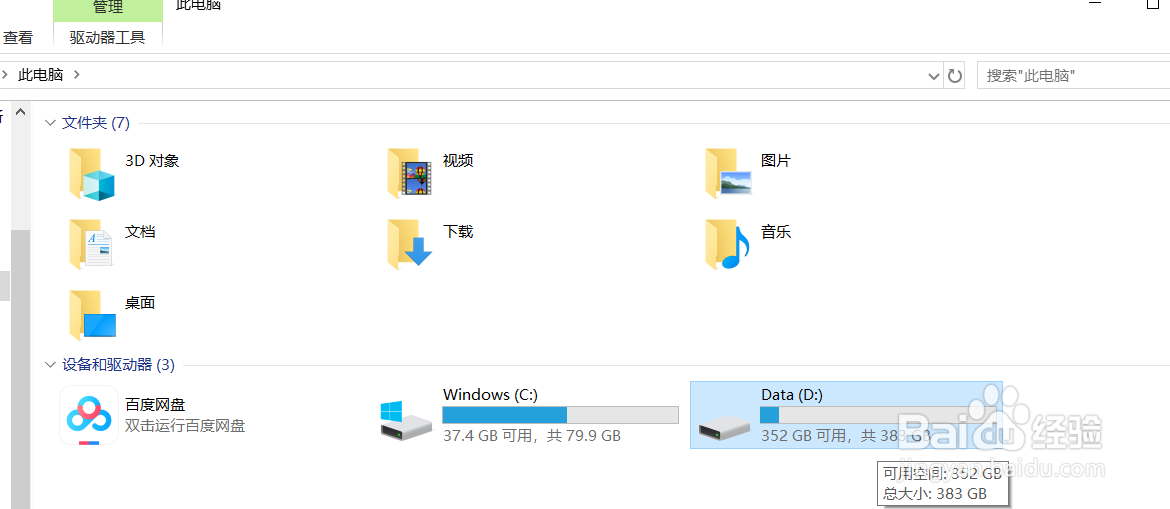
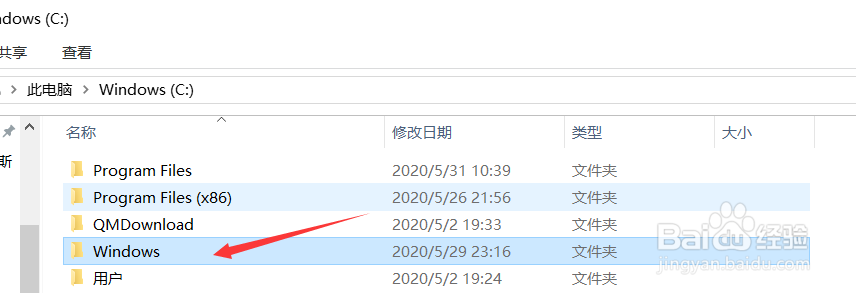
1、找到C盘中的windows文件。

matplotlib怎么显示中文

2、打开windows文件夹。

matplotlib怎么显示中文

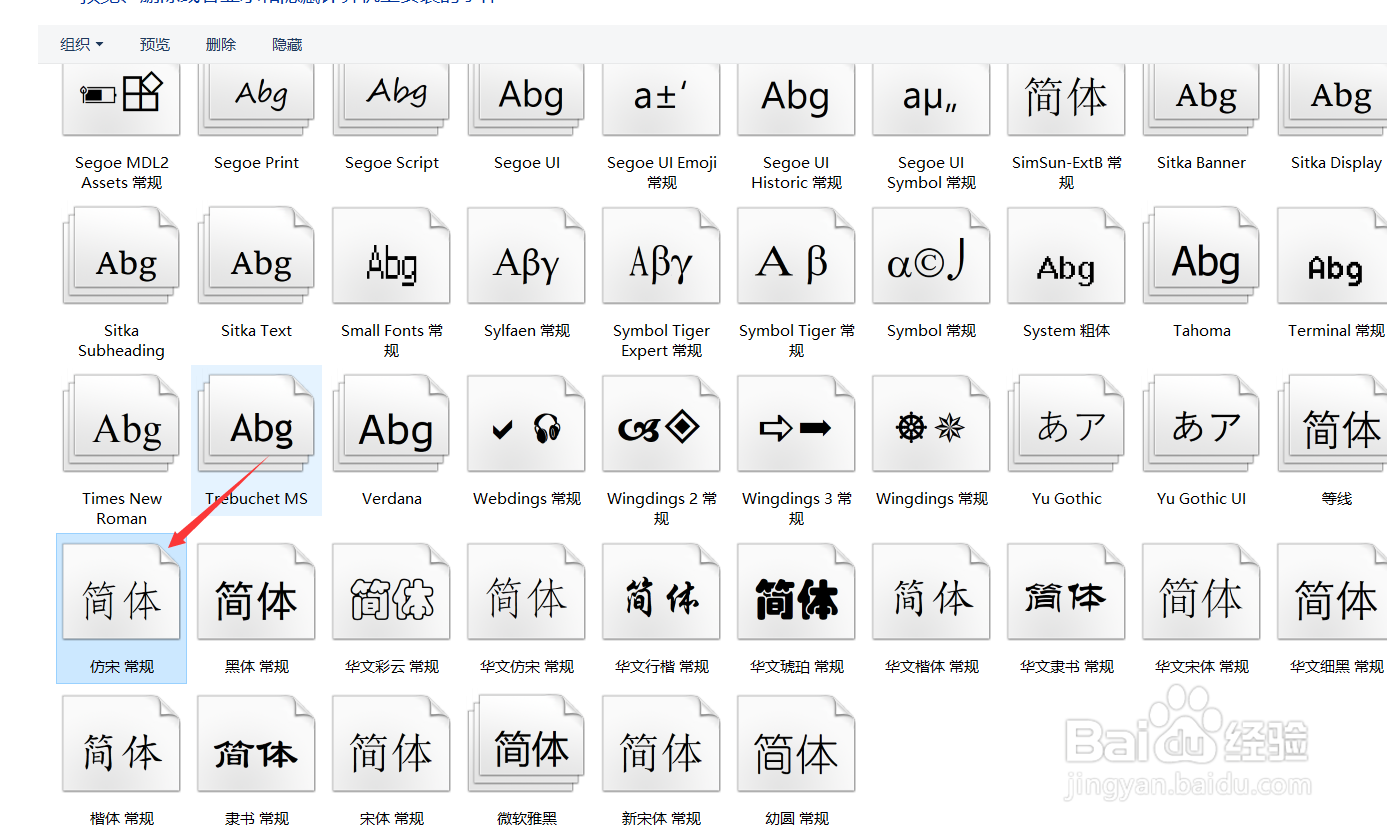
3、打开fonts文件夹。

matplotlib怎么显示中文

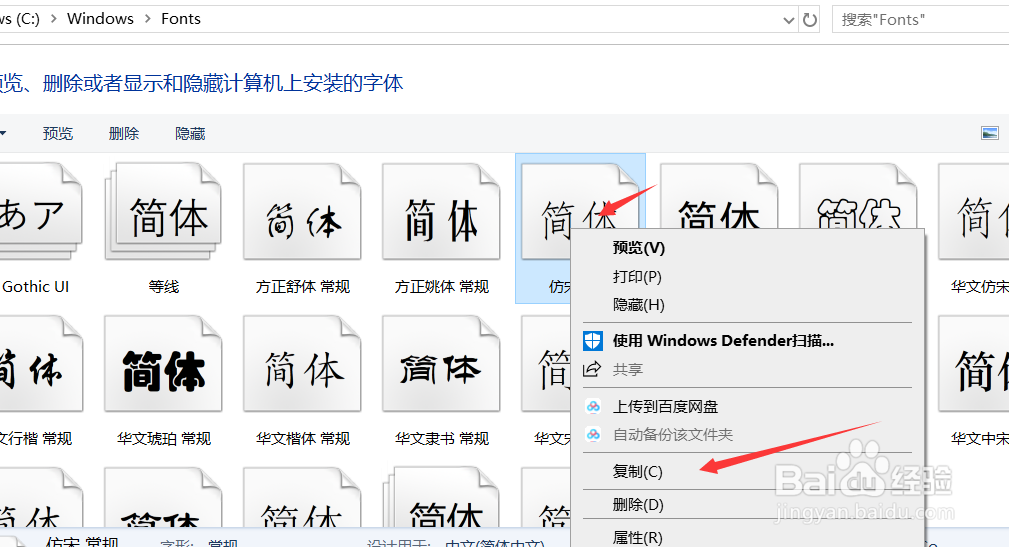
4、选择其中一个中文字体。

matplotlib怎么显示中文

打开matplotlib的字体文件路径

1、重新打开一个文件资源管理器。可以按win+E快捷键。

matplotlib怎么显示中文

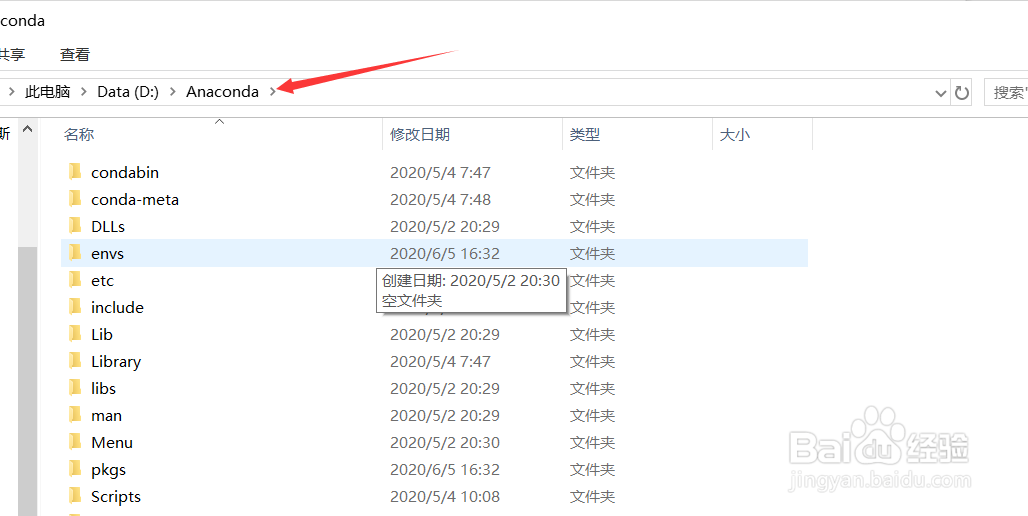
2、打开anaconda的安装路径。

matplotlib怎么显示中文

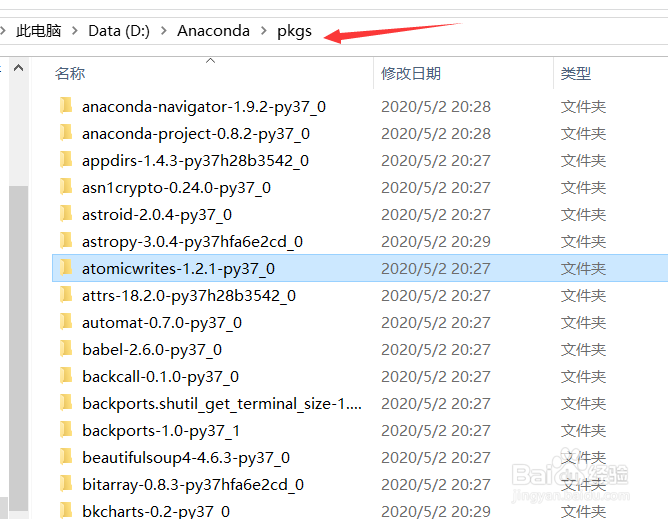
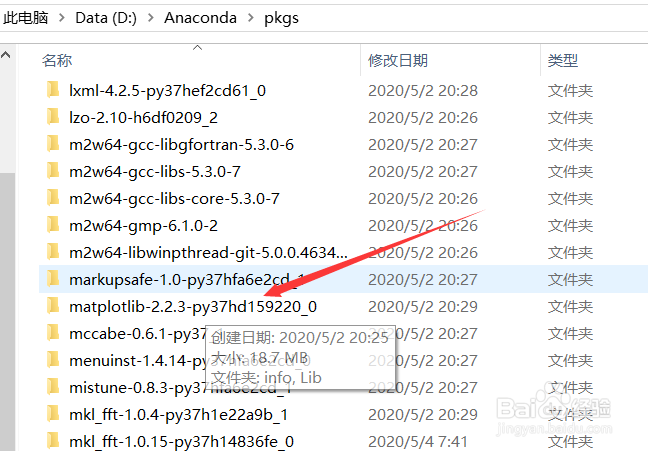
3、在安装路径文件夹中打开pkgs文件夹。

matplotlib怎么显示中文

4、打开matplotlib版本的文件夹。

matplotlib怎么显示中文

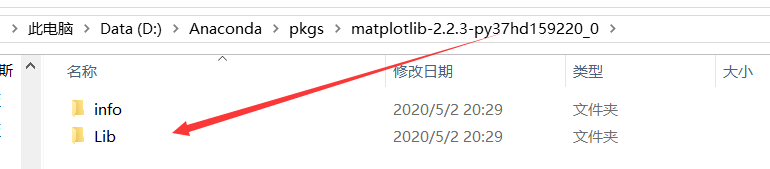
5、打开Lib文件夹。

matplotlib怎么显示中文

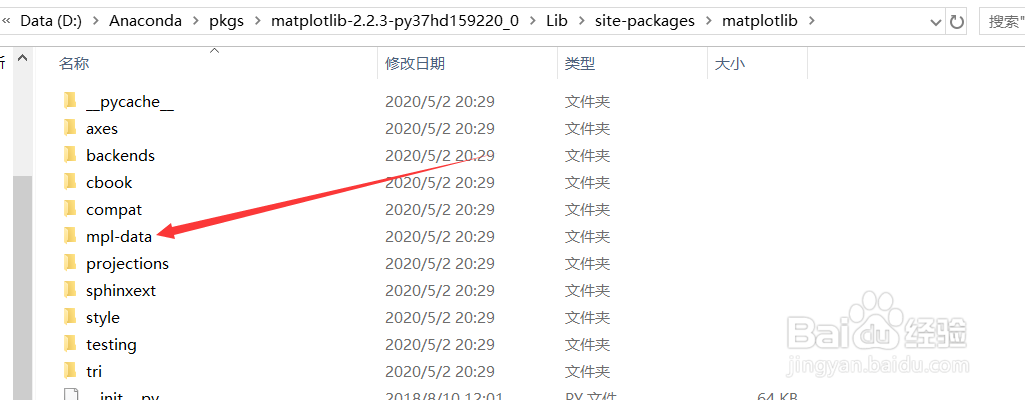
6、打开site-packages文件夹。

matplotlib怎么显示中文

7、打开matplotlib文件夹。

matplotlib怎么显示中文

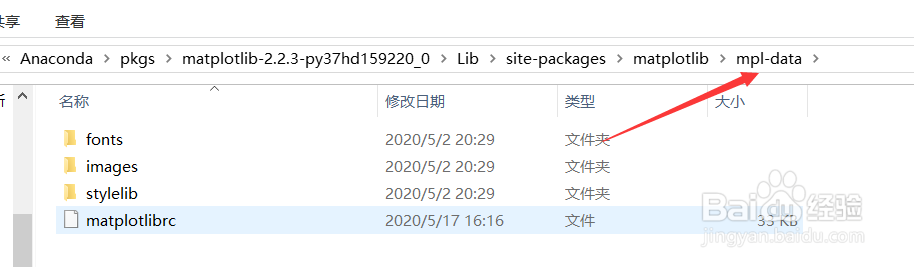
8、打开mpl-data文件夹。

matplotlib怎么显示中文

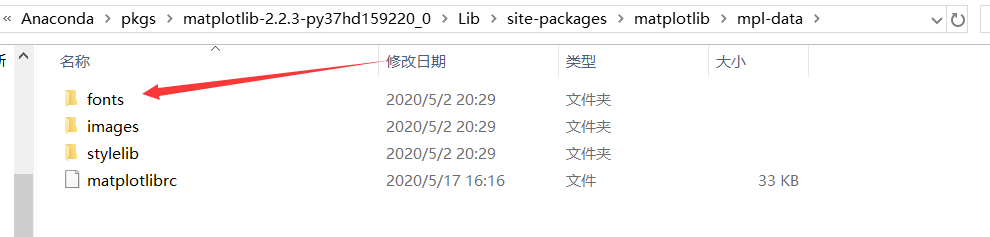
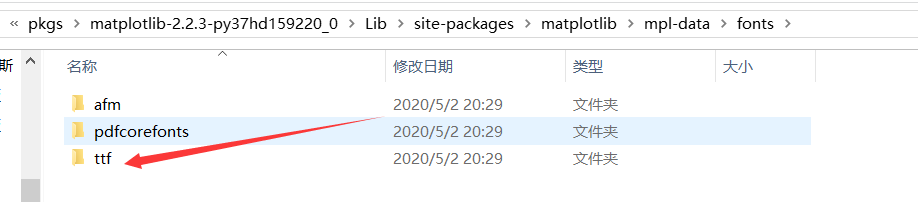
9、打开fonts文件夹。

matplotlib怎么显示中文

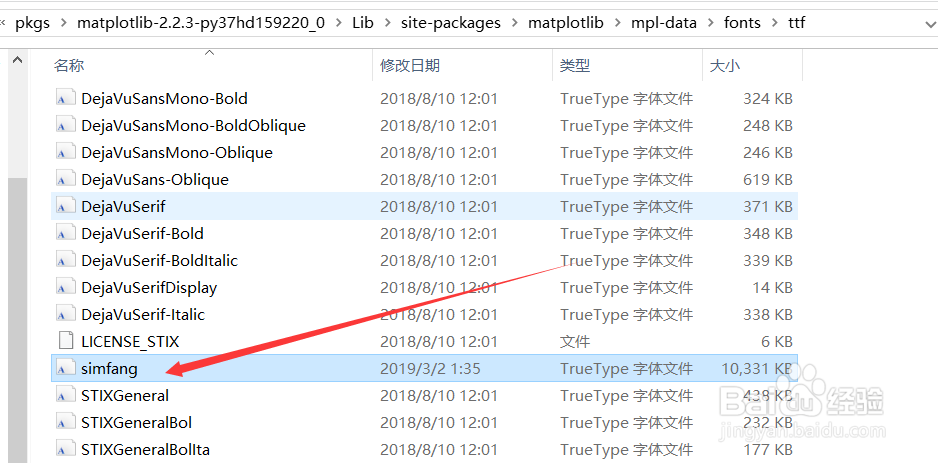
10、打开ttf文件夹。

matplotlib怎么显示中文

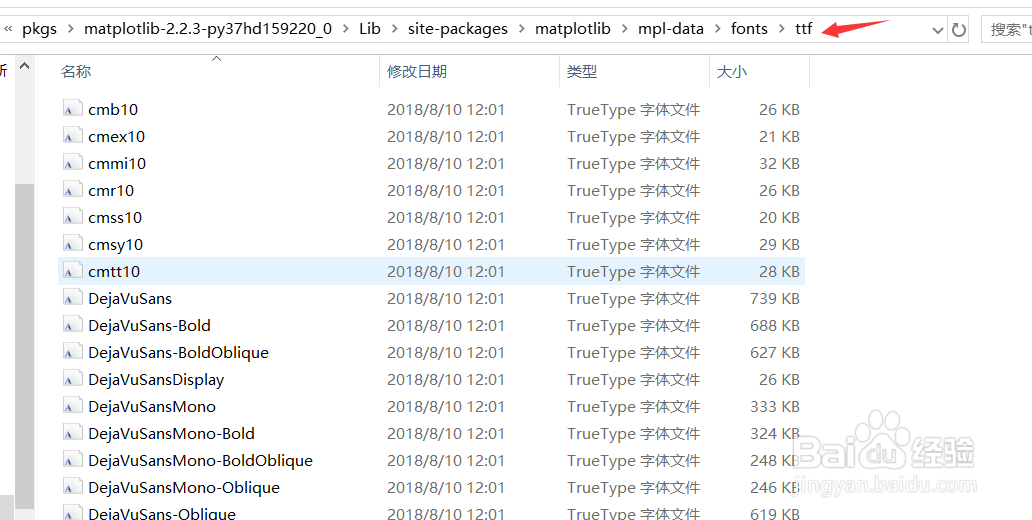
11、打开ttf文件夹结构如图示。

matplotlib怎么显示中文

复制中文字体文件

1、在系统自带的字体文件中复制一个中文字体。

matplotlib怎么显示中文

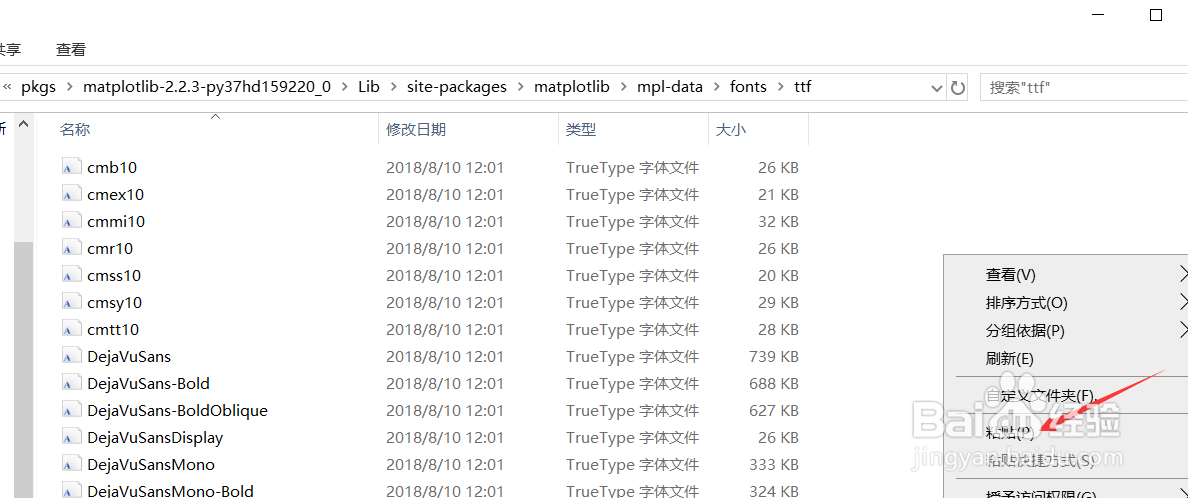
2、在ttf文件夹中粘贴复制的字体文件。

matplotlib怎么显示中文

3、粘贴的字体文件如图示。

matplotlib怎么显示中文

修改配置文件

1、回到mpl-data文件夹目录下。

matplotlib怎么显示中文

2、用记事本打开matplotlibrc文件。

matplotlib怎么显示中文

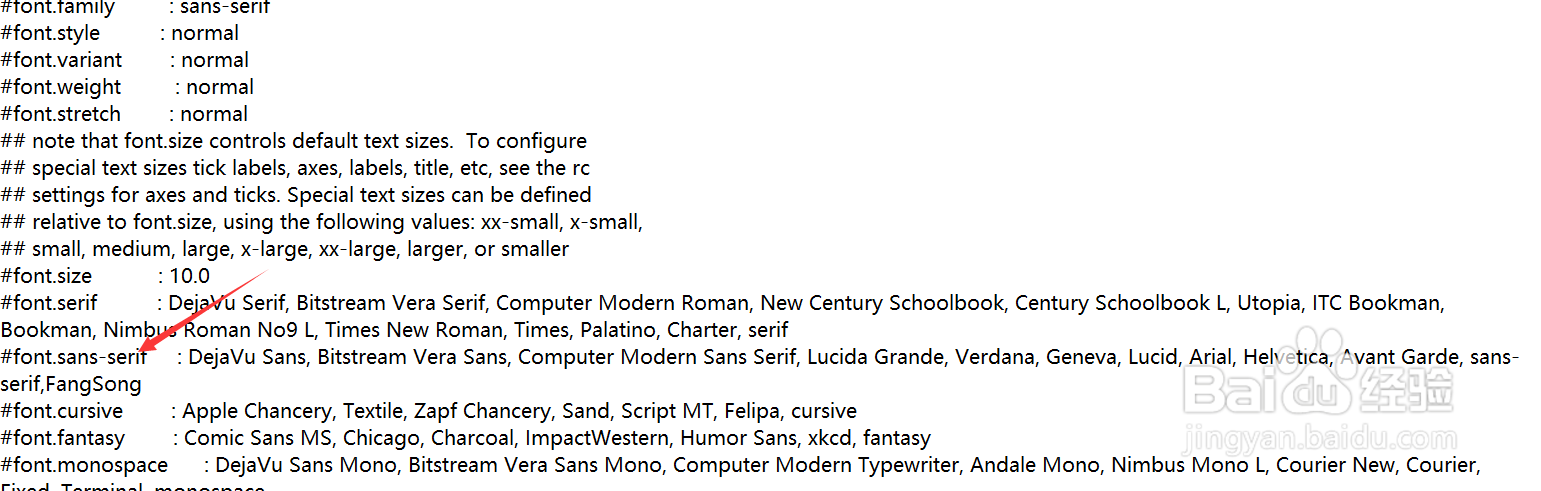
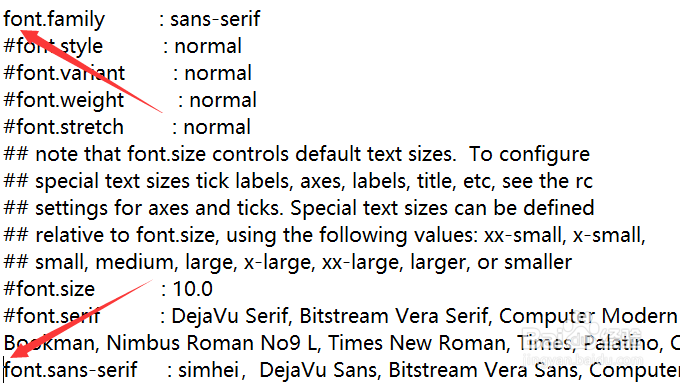
3、找到#font开头的位置。

matplotlib怎么显示中文

4、在#font.sans-serif后添加字体文件名。

matplotlib怎么显示中文

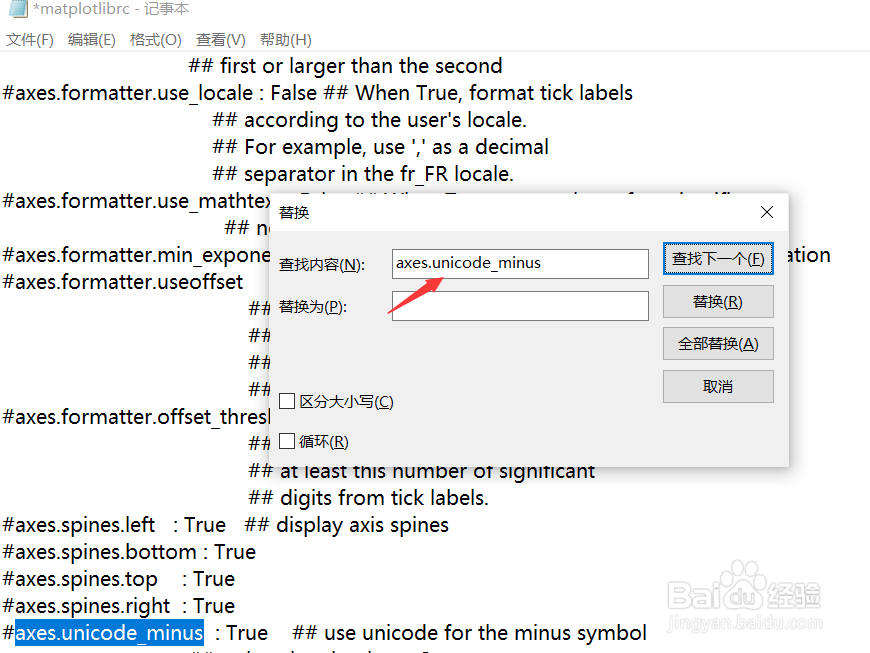
5、找到axes.unicode_minus处。

matplotlib怎么显示中文

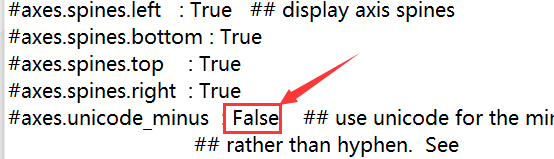
6、将True修改为False,可以解决将负号显示为方块的问题。

matplotlib怎么显示中文

7、修改完毕保存并关闭配置文件。

8、重启jupyter

© 2026 五度知识库
信息来自网络 所有数据仅供参考
有疑问请联系站长 site.kefu@gmail.com