网站首页 美食营养 游戏数码 手工爱好 生活家居 健康养生 运动户外 职场理财 情感交际 母婴教育 生活知识 知识问答

Windows 8.1 操作系统 清理KPhoneTray启动项

时间:2024-11-14 20:33:59

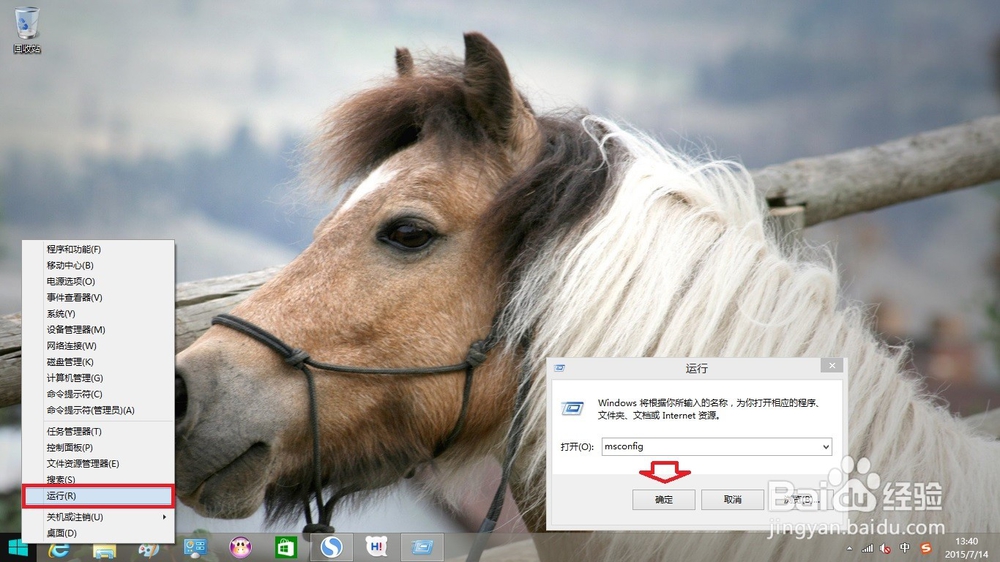
1、使用鼠标右键点击任务栏的网络图标→运行→输入:msconfig →确定。
Windows 8.1 操作系统 清理KPhoneTray启动项

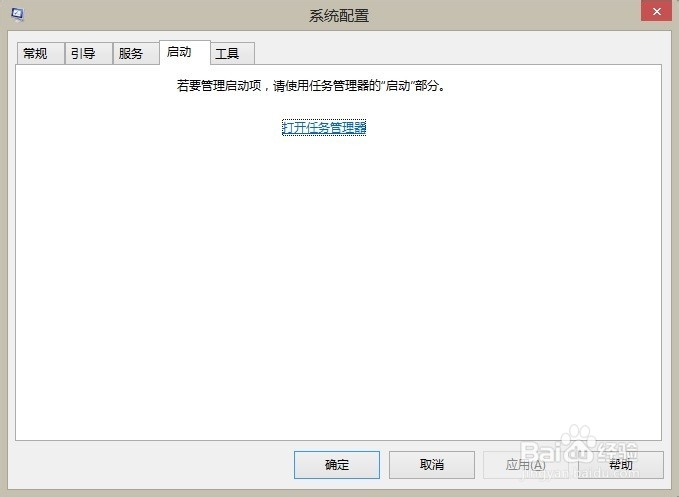
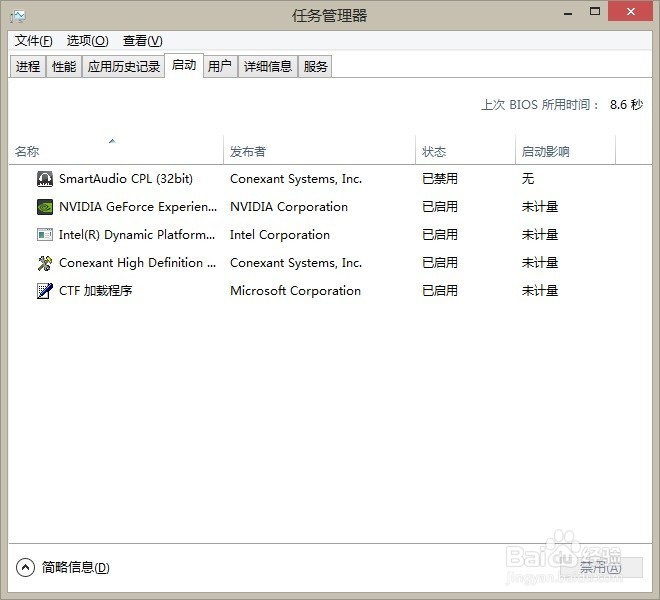
2、打开系统配置→启动→打开任务管理器→KPhoneTray已经启动。

Windows 8.1 操作系统 清理KPhoneTray启动项

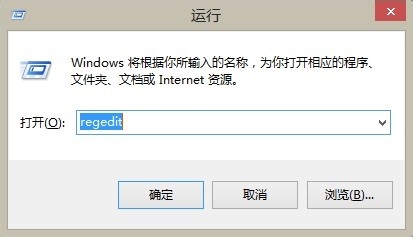
3、再在右键菜单中点击运行→输入:regedit→确定打开注册表。

Windows 8.1 操作系统 清理KPhoneTray启动项

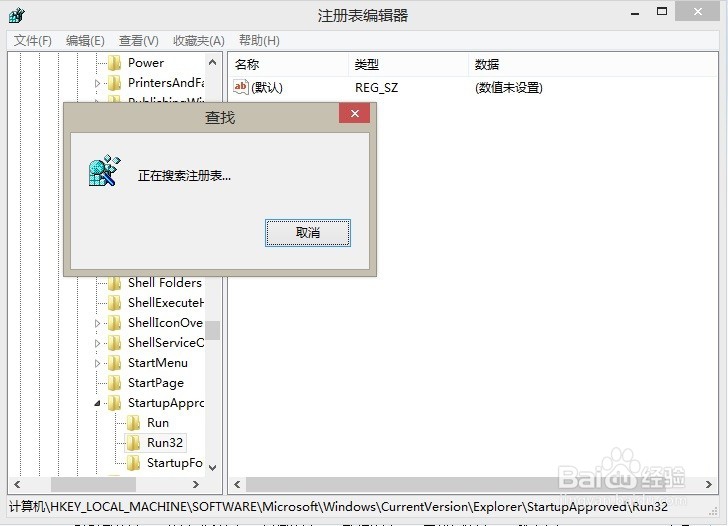
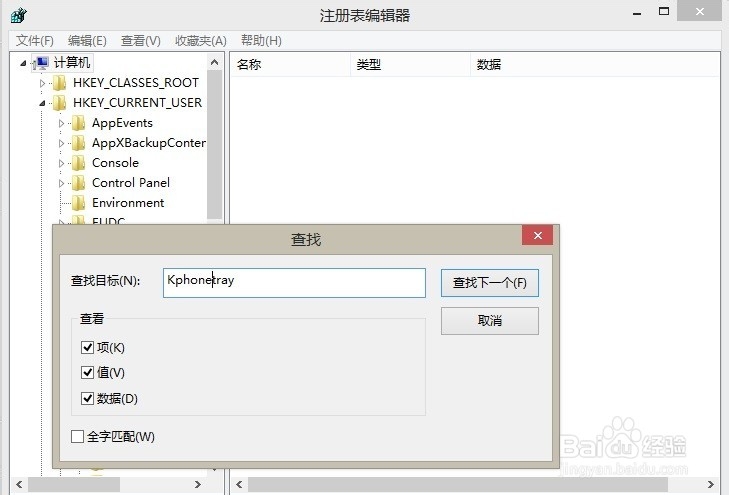
4、打开注册表之后→编辑→查找→输入关键词:KPhoneTray→立即查找。
Windows 8.1 操作系统 清理KPhoneTray启动项

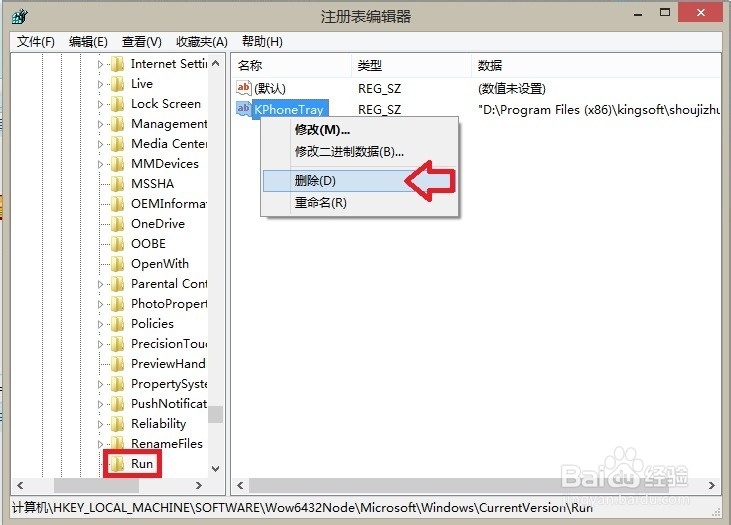
5、Run启动项中有一个,右键点选该项→删除

Windows 8.1 操作系统 清理KPhoneTray启动项

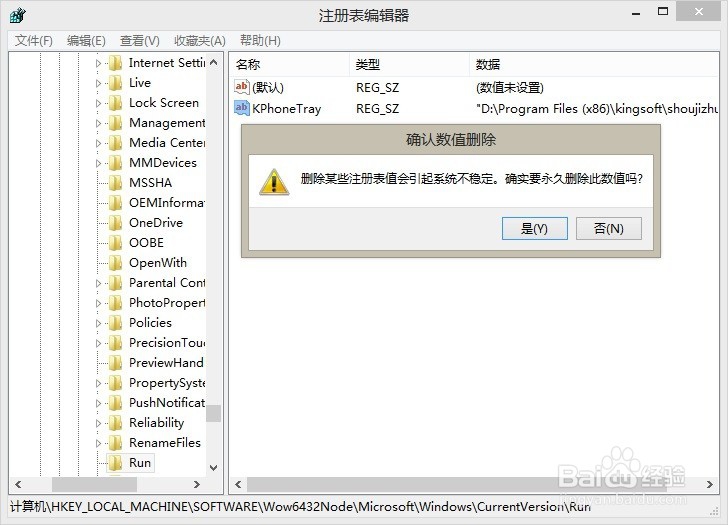
6、弹出确认框,继续删除→是

Windows 8.1 操作系统 清理KPhoneTray启动项

7、按F3键,继续搜索……

Windows 8.1 操作系统 清理KPhoneTray启动项

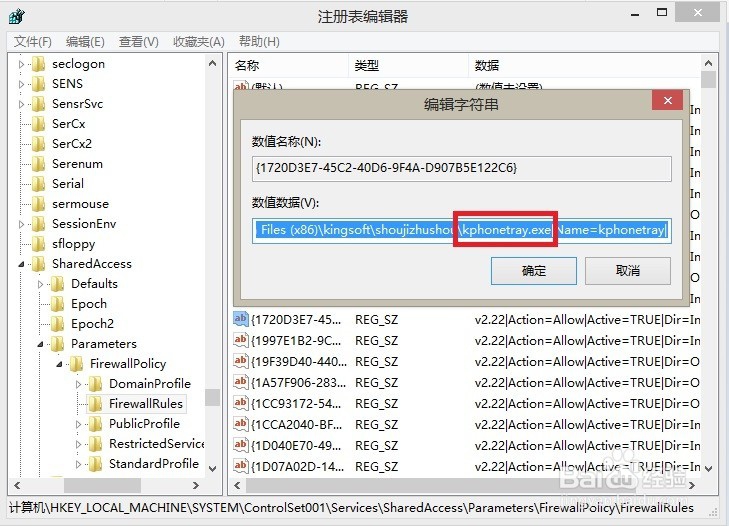
8、又来一个,看路径知道是金山(蛛丝马迹)的玩意儿!

Windows 8.1 操作系统 清理KPhoneTray启动项

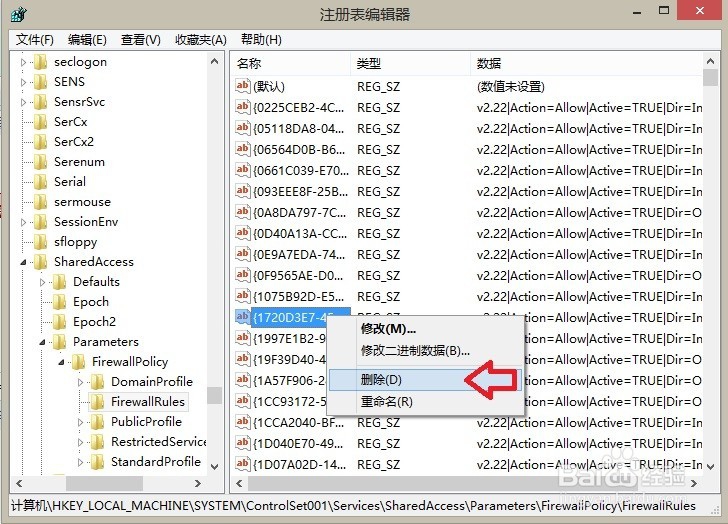
9、继续删除!

Windows 8.1 操作系统 清理KPhoneTray启动项

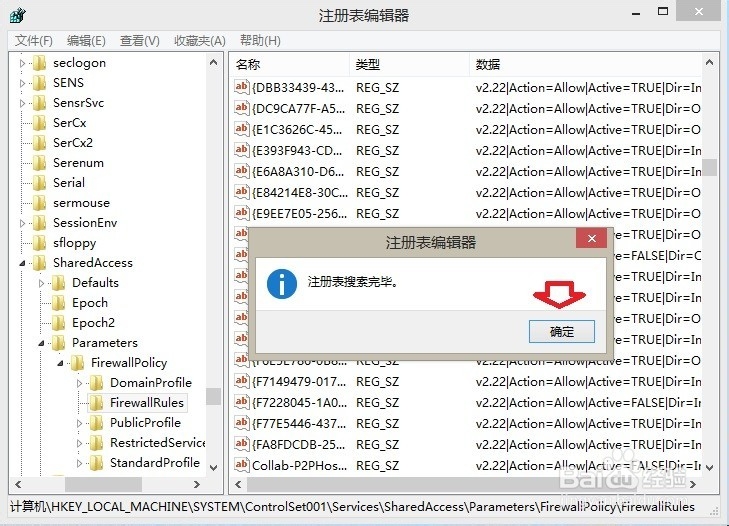
10、直至搜索注册表完毕。

Windows 8.1 操作系统 清理KPhoneTray启动项

11、再看启动项已经干净了。

Windows 8.1 操作系统 清理KPhoneTray启动项
© 2026 五度知识库
信息来自网络 所有数据仅供参考
有疑问请联系站长 site.kefu@gmail.com